Screenshot ideas
App Store screenshots for a shopping app
Shopping apps convert on trust and speed. Show the products, how fast checkout is, and what's in it for the shopper: deals, tracking, easy returns.
An order that works
The first three show in search results. Put the promise there, the details after.
Slide 1
The catalog
A product grid or a featured item that looks good small.
Slide 2
The product
Photos, size, price and reviews on one screen.
Slide 3
Checkout
Apple Pay or one-tap ordering.
Slide 4
Deals
Offers, loyalty points or member prices.
Slide 5
After the order
Tracking and returns.
Headlines to start from
Short, about the outcome, one idea each. Rewrite them in your app's voice, or let the studio's AI write yours from your screens.
- New in, every week
- Checkout in one tap
- Track every order
- Deals made for you
- Free returns, no hassle
- Find your size fast
- Save it for later
- Your favorites, restocked
Templates that fit
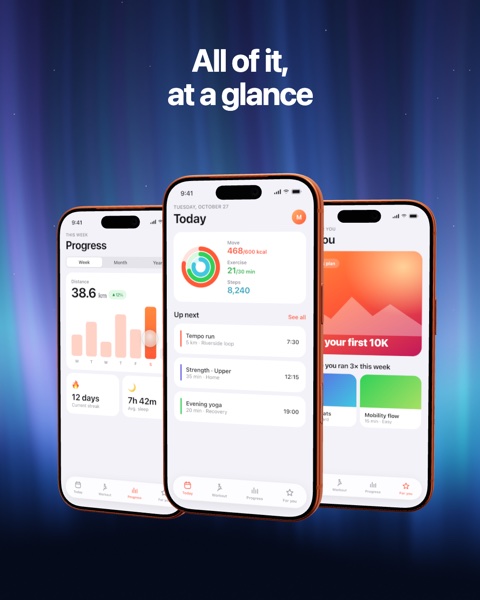
Cascade
Catalog, product and checkout side by side.
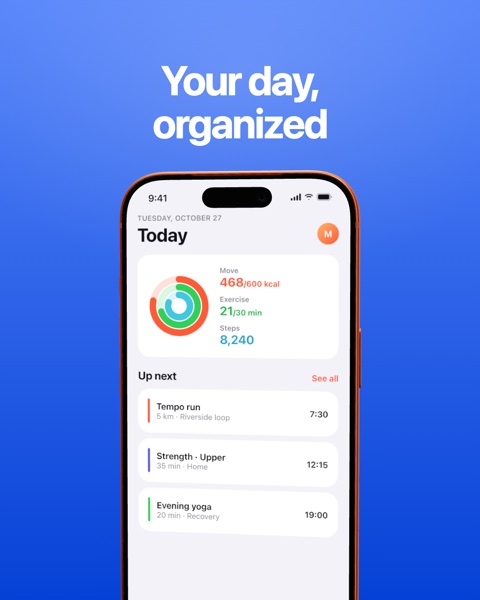
Screenshot set
One benefit per slide.
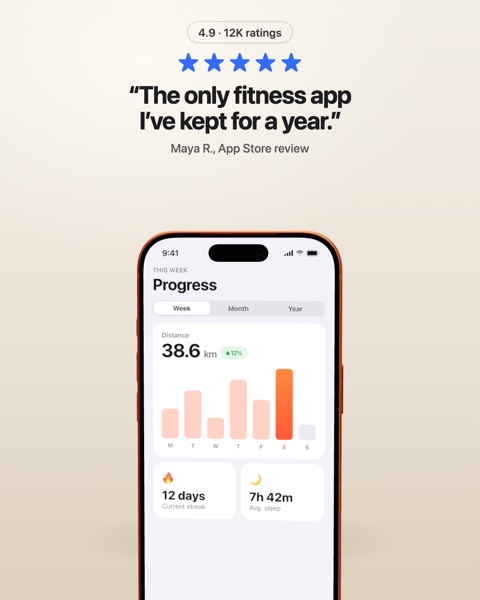
Review
Stars and a real review over the device: social proof.
Your brand color on Ink or Gradient; Studio for fashion with light product photos.
What to avoid
- Prices that will change before the screenshots do
- Seasonal sales left up after the season
- Showing the cart empty
Questions
Whenever the app or the season changes. In Shotcat you swap the screens in one project and every size and language re-renders.
App Store Connect takes 1 to 10 per device size. Most people decide from the first three, which also show in search results, so make those count and use the rest for proof and detail.
Other categories
Fitness apps
Workouts, progress and streaks: what to show first.
Finance apps
Budgets, accounts and trust: a set that feels safe.
Productivity apps
Tasks, notes and calendars: show the flow, not the menu.
Language learning apps
Lessons, streaks and speaking: make progress visible.
Food and recipe apps
Recipes, meal plans and shopping lists that look delicious.
Travel apps
Trips, maps and bookings: show the journey.
Ship the launch
you pictured.
Your screens in, a full launch kit out. In the next ten minutes.